No items found.
For the second summative assessment of the module ‘Web Programming’, students were tasked to develop an interactive experience with HTML, CSS, and Javascript being our toolset. The piece each student would ultimately create was completely left up to their interpretation and imagination, with interactive soundboards, simple games or interactive landscapes provided as examples. While the brief was primarily freeform, there were several constraints such as inclusion of HTML Canvas, images, sound, and events that the user could trigger.
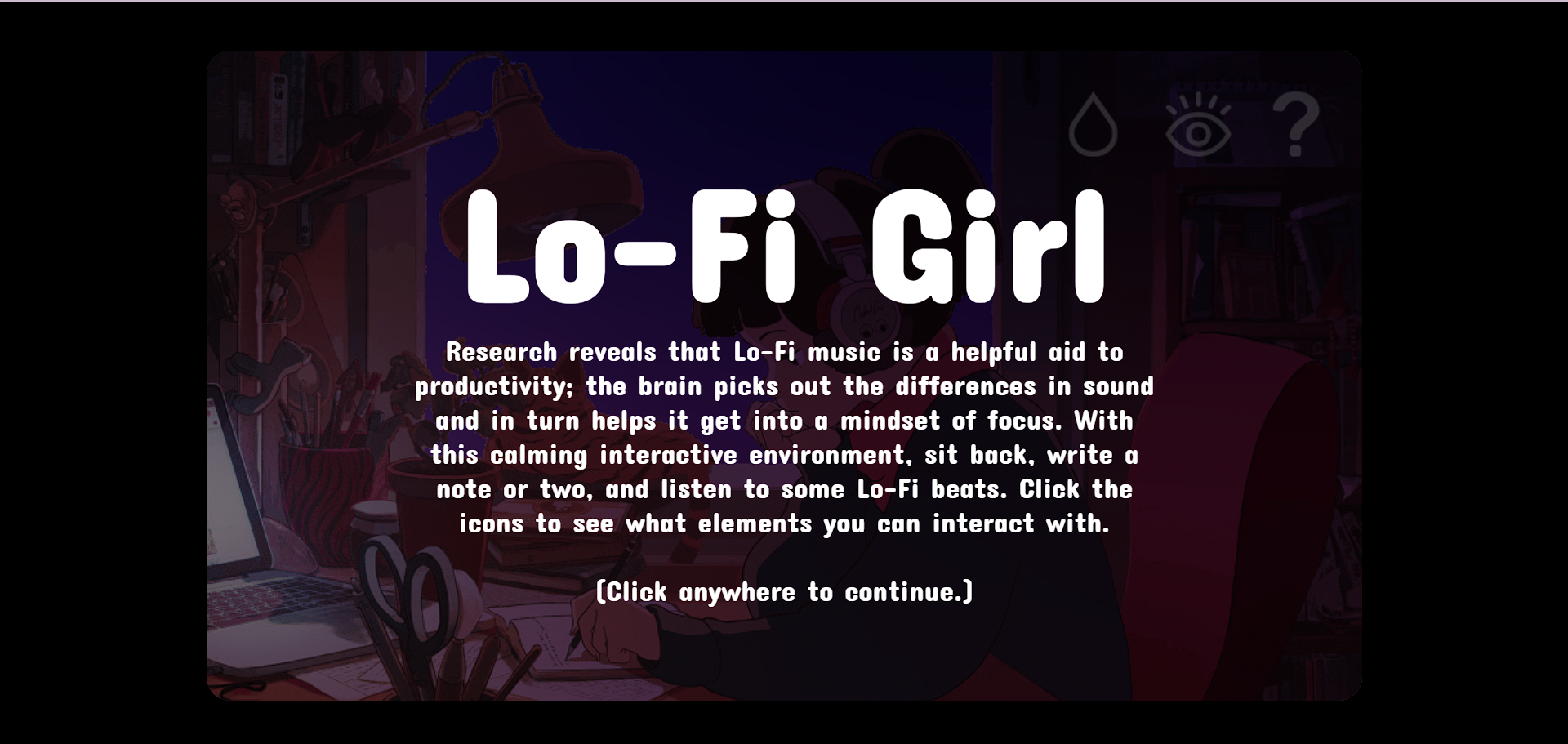
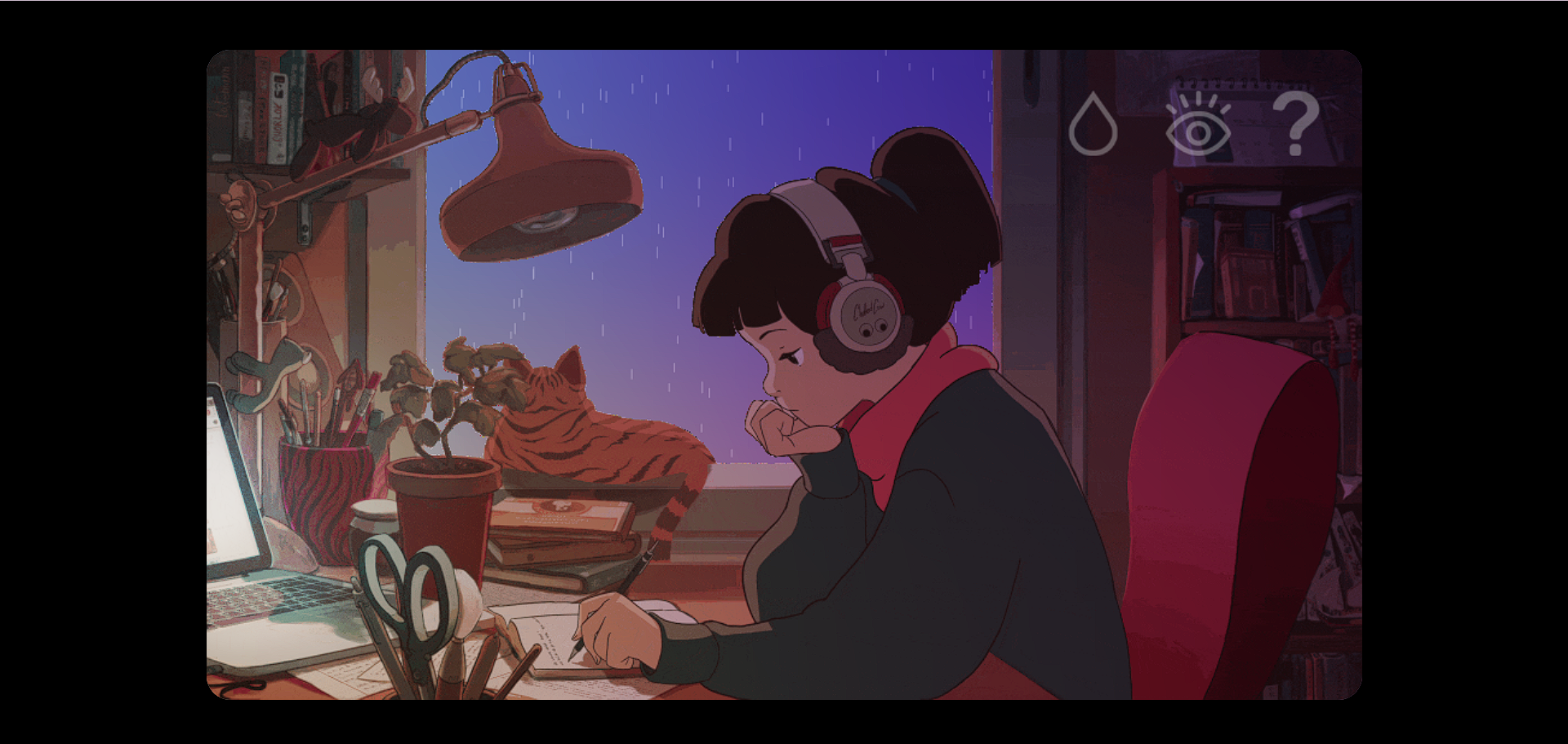
When the user first loads up the artifact, they are greeted with a black, translucent overlay providing an overview of what this piece is about and a brief instruction on how to get started. Once they click anywhere on the screen, the overlay disappears and is replaced with the canvas itself- an animated girl writing down notes in the late afternoon. On the top-right corner is a small panel bearing three different icons. As they move their mouse, they see the canvas shift from afternoon to evening, the current time of day depending on the x-coordinate of their cursor. They click the first icon, a raindrop, and the user sees rain animated outside the girl’s window, paired with a soft rain soundtrack. If they click it again, the rain animation and audio is switched off.
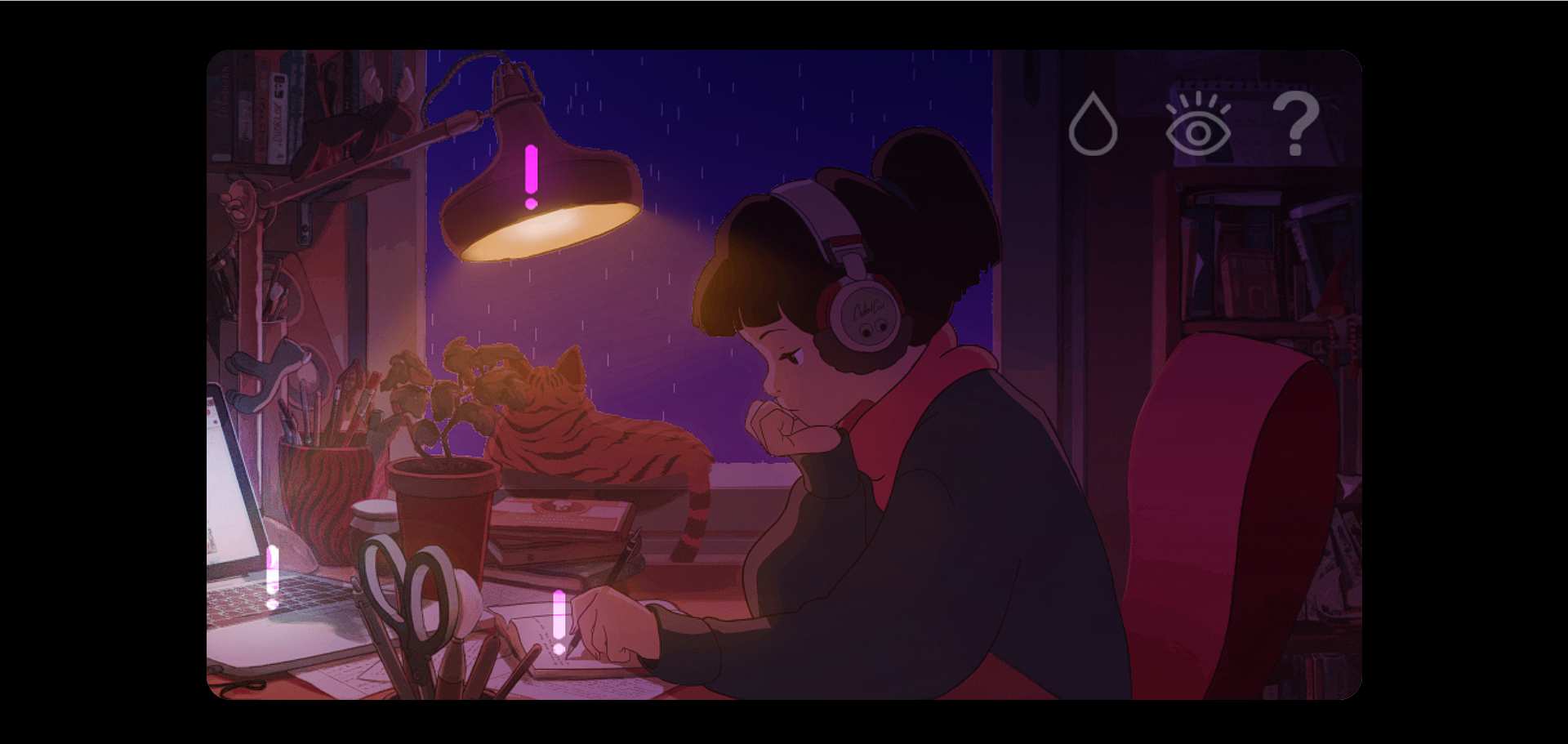
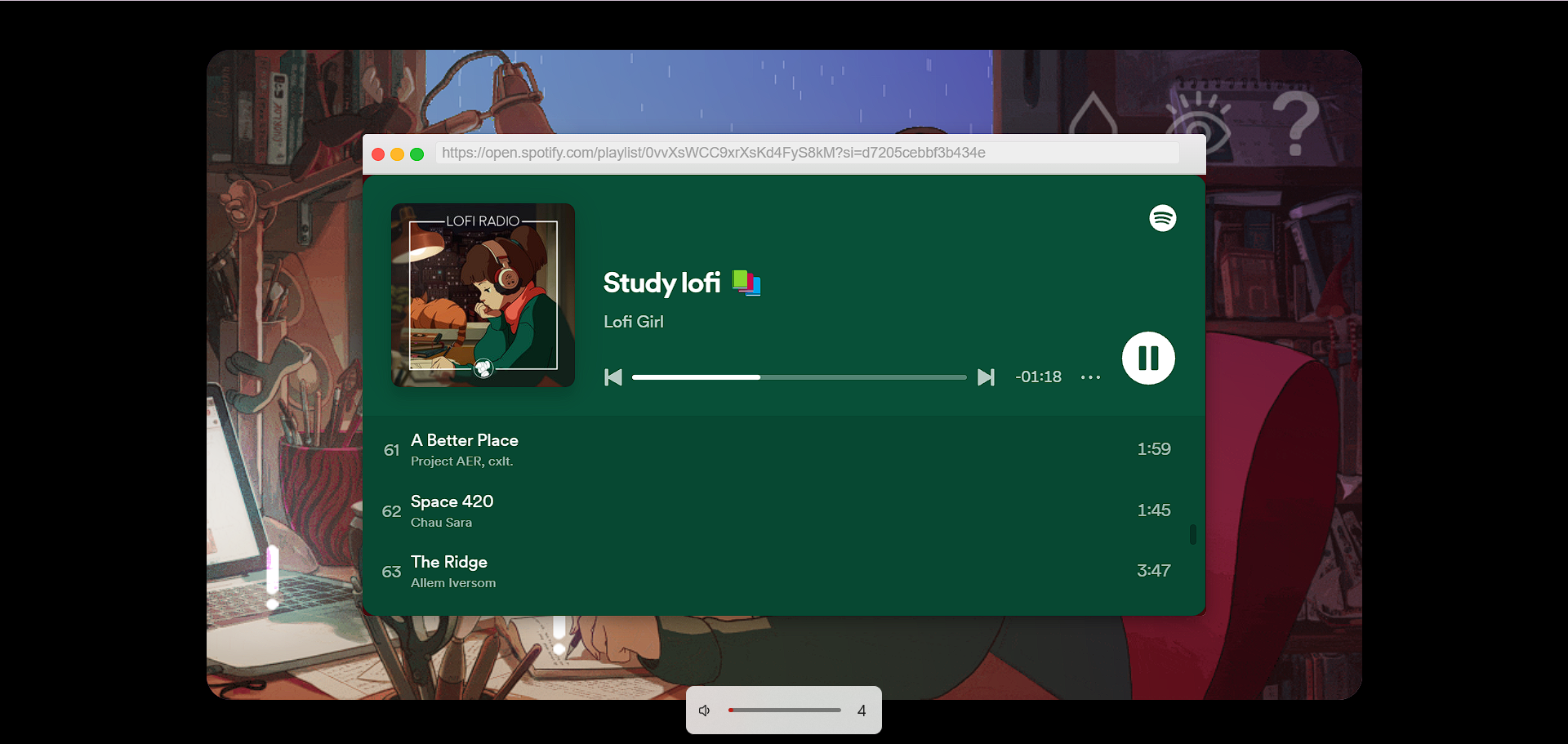
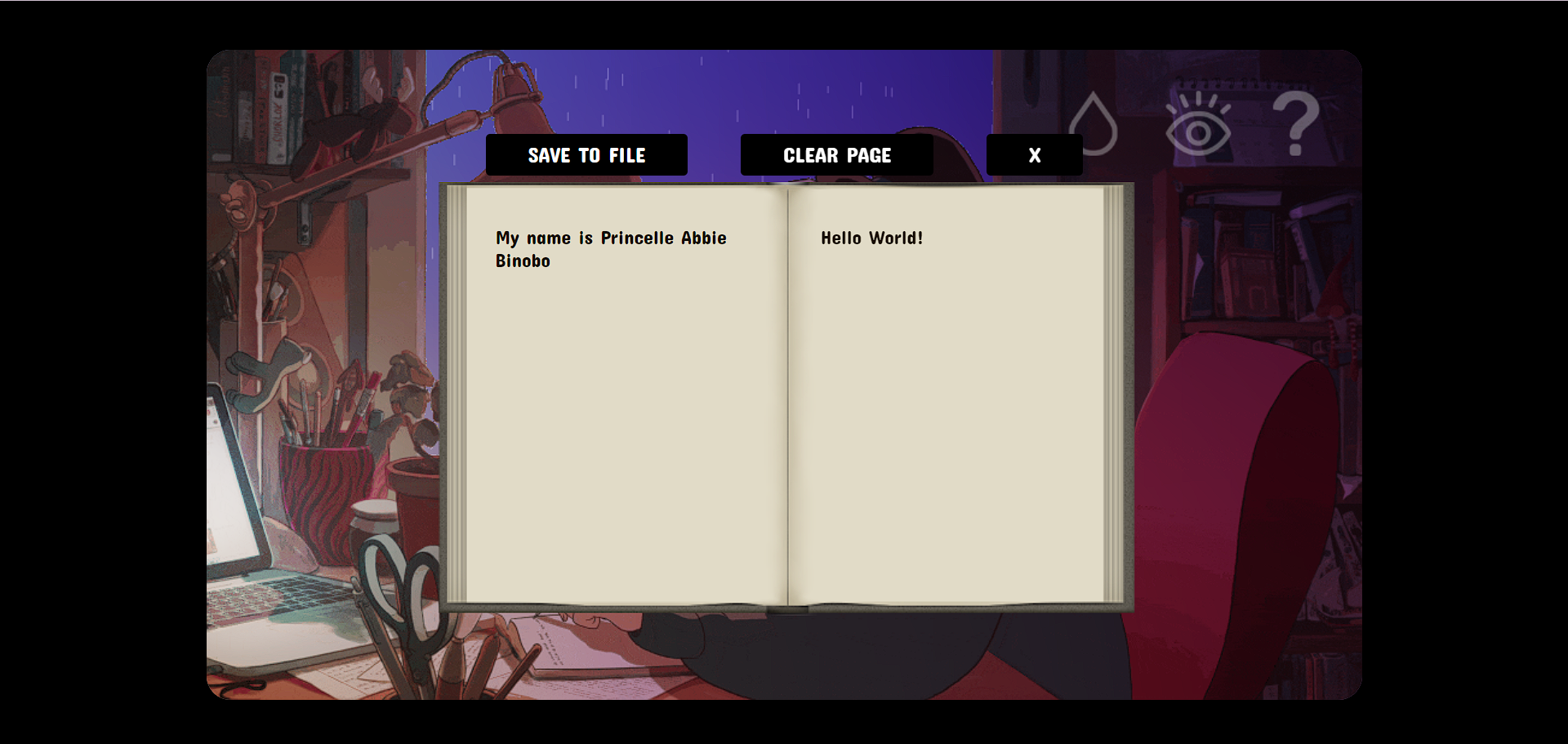
The next icon is an eye. Once clicked, the user sees three exclamation points around the canvas, each depicting an area that the user can click and interact with. Clicking on the lamp would turn it on and off, depending on its current state. Clicking on the laptop would open up a fake browser containing a spotify music playlist. This continues playing as the user closes the music player. Clicking on the notebook would present a virtual notebook, with which the user can type out as much as they would like between the two pages. The user has the choice of clearing the pages to a clean slate, and saving the contents of the pages as a text file.