Let's create our own calculator using Arduino. By utilizing a 4x4 keypad, we can input values, and the results can be displayed without an LCD screen. This calculator is capable of performing basic operations such as addition, subtraction, multiplication, and division using whole numbers.
Parts Required

Instructions
- Connect the Arduino board to the computer and open the Arduino IDE.
- Set up the 4x4 keypad by connecting it to the appropriate pins on the Arduino board.
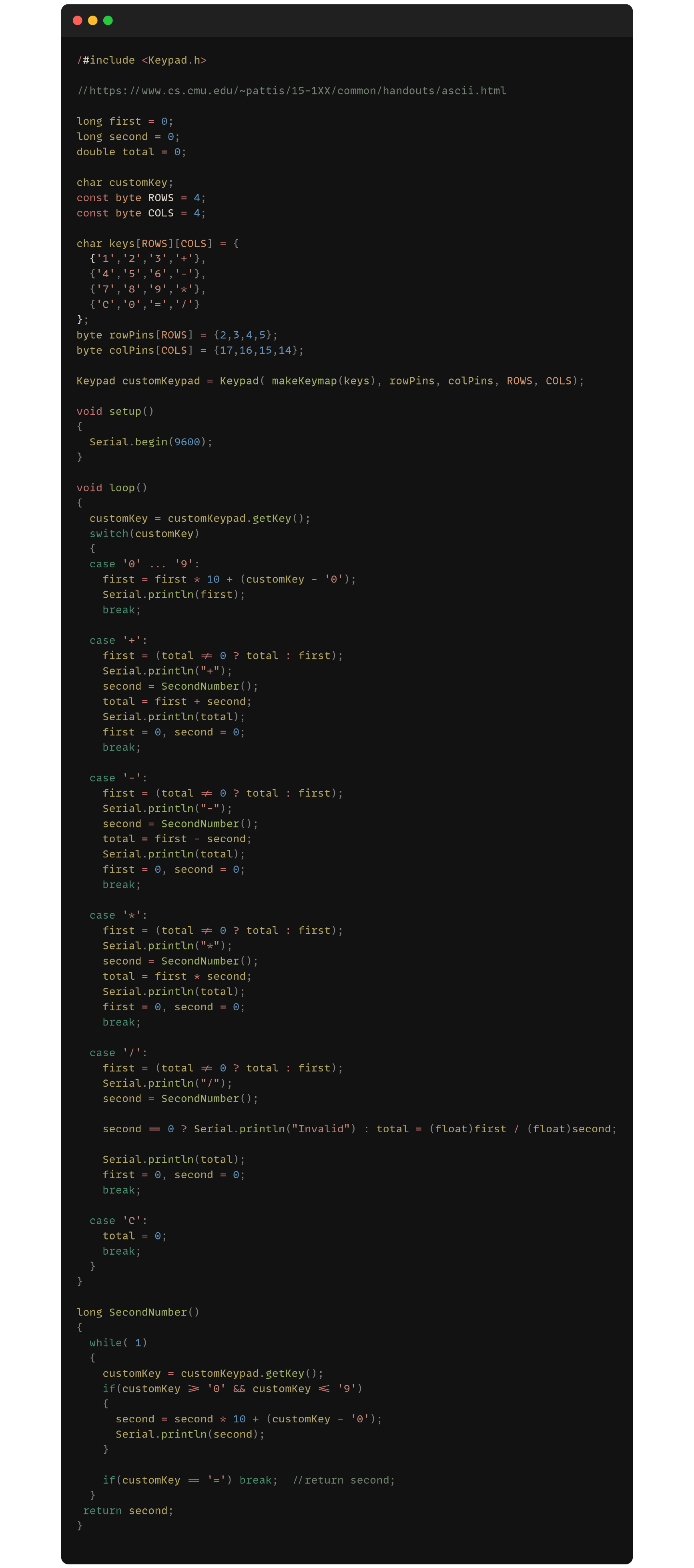
- Define the necessary variables and initialize the keypad in the Arduino code.
- Create functions for addition, subtraction, multiplication, and division operations.
- Implement the logic to read input from the keypad and perform the selected operation.
- Display the result using the Arduino's built-in LED indicators.
- Upload the code to the Arduino board and test the calculator by entering values and verifying the calculated results.
Code